


What Is IP Address? Understanding the Digital Identity of Every Internet-Connected Device
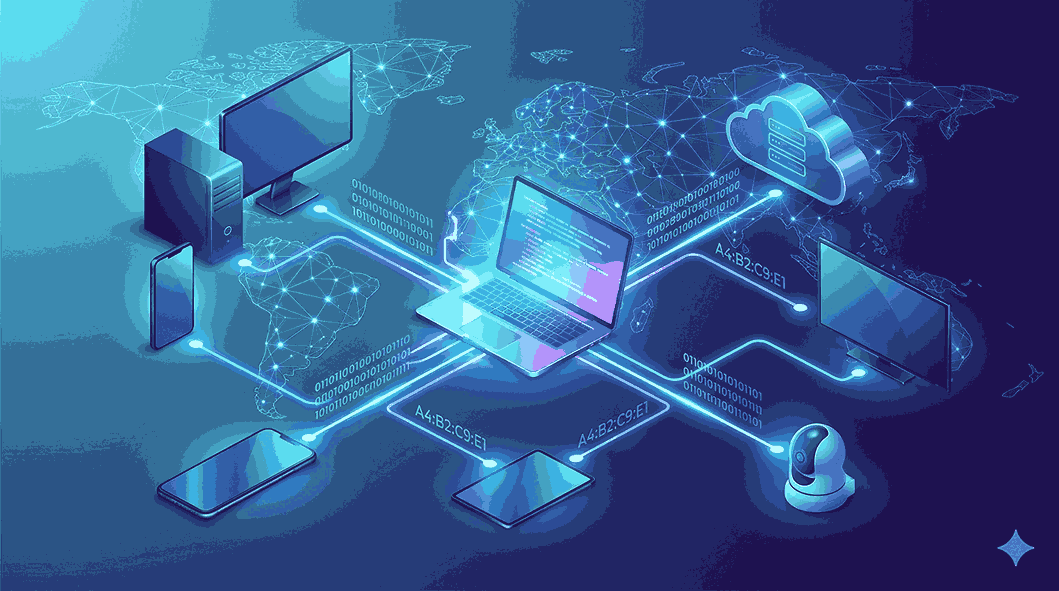
The internet has become an essential part of our daily lives. Whether you're checking emails, browsing websites, streaming videos, shopping online, or using social media, your device is constantly exchanging information with servers around the world. Behind every online interaction is a technology that makes this communication possible—the IP address.
Many people search for what is IP address because they want to understand how devices connect to the internet. Although the term may seem technical, the concept is straightforward. Every device connected to a network requires a unique identifier so information can be sent and received accurately. That identifier is known as an Internet Protocol (IP) address.
In this comprehensive guide from Get Answerss, you'll discover what an IP address is, how it functions, the different types available, and why it plays such an important role in modern networking.
What Is IP Address?
An IP address (Internet Protocol Address) is a unique numerical identifier assigned to every device connected to a network that uses the Internet Protocol. It serves as the digital address of a device, allowing it to communicate with other devices over the internet or a local network.
Just as every house has a unique postal address for receiving mail, every internet-connected device has an IP address for sending and receiving data.
Without IP addresses, websites, applications, and online services would not know where to deliver information.
Why Do We Need an IP Address?
The internet consists of billions of connected devices. Each device needs a way to identify itself so that data reaches the correct destination.
An IP address makes this possible by:
-
Identifying individual devices
-
Routing internet traffic
-
Enabling communication between networks
-
Supporting online services
-
Managing network connections
Without IP addresses, the internet would not function efficiently.
How Does an IP Address Work?
Whenever you access a website, your device communicates with remote servers.
Here's a simple explanation of the process:
-
You type a website address into your browser.
-
Your device sends a request across the internet.
-
The request contains your IP address.
-
The destination server processes the request.
-
The server sends the requested webpage back to your IP address.
-
Your browser displays the content.
This entire exchange happens within fractions of a second.
How Data Travels Using an IP Address
Data sent over the internet is divided into small units called packets.
Each packet contains:
-
The sender's IP address
-
The destination IP address
-
The actual data
Internet routers examine these addresses and forward the packets along the most efficient path until they reach their destination.
Once all packets arrive, they are reassembled into the webpage, video, or file you requested.
Types of IP Addresses
IP addresses are categorized based on how they are used.
Public IP Address
A public IP address is assigned by your Internet Service Provider (ISP).
This address allows your network to communicate with the internet.
Characteristics include:
-
Accessible from the internet
-
Assigned externally
-
Shared by multiple devices in many home networks
Websites identify your connection using your public IP address.
Private IP Address
Private IP addresses are assigned within your local network.
Your Wi-Fi router gives every connected device its own private address.
Devices commonly assigned private IP addresses include:
-
Smartphones
-
Desktop computers
-
Laptops
-
Tablets
-
Smart televisions
-
Printers
-
Security cameras
Private IP addresses are not directly accessible from the public internet.
Static vs Dynamic IP Addresses
Another way to classify IP addresses is based on whether they remain fixed.
Static IP Address
A static IP address never changes unless manually modified.
Businesses frequently use static IP addresses because they provide consistent access for:
-
Business websites
-
Remote servers
-
VPN connections
-
Email hosting
-
Security systems
Static IP addresses are ideal when devices need a permanent online location.
Dynamic IP Address
Dynamic IP addresses are assigned automatically by the ISP.
Most residential users receive dynamic IP addresses.
Advantages include:
-
Automatic configuration
-
Better resource management
-
Lower operational costs
-
Efficient allocation of available addresses
Dynamic IP addresses may change whenever your internet connection reconnects.
IPv4 Explained
IPv4 is the original version of the Internet Protocol and remains widely used today.
Example:
192.168.1.100
Features include:
-
Four numerical sections
-
Numbers separated by periods
-
Around 4.3 billion possible addresses
Although IPv4 has served the internet for decades, the rapid growth of connected devices has exhausted much of its address space.
IPv6 Explained
IPv6 is the modern version of Internet Protocol.
Example:
2001:db8:abcd:1234:5678:9abc:def0:1234
IPv6 provides:
-
A massive number of unique addresses
-
Better scalability
-
Improved routing
-
Enhanced support for future internet technologies
As the Internet of Things (IoT) continues to expand, IPv6 is becoming increasingly important.
Who Assigns IP Addresses?
Several systems participate in assigning IP addresses.
Internet Service Providers
ISPs assign public IP addresses whenever customers establish an internet connection.
Network Routers
Home and office routers assign private IP addresses to local devices.
DHCP
Dynamic Host Configuration Protocol (DHCP) automatically distributes IP addresses, eliminating manual configuration.
This allows new devices to join networks quickly and easily.
Everyday Examples of IP Address Usage
IP addresses work behind the scenes during almost every online activity.
Browsing Websites
Web servers use your IP address to deliver webpages.
Streaming Content
Streaming platforms send movies, music, and videos directly to your device using your IP address.
Online Gaming
Game servers use IP addresses to connect players in multiplayer games.
Cloud Storage
Cloud services synchronize documents and files across multiple devices.
Email Communication
Mail servers rely on IP addresses to exchange messages between users.
Smart Home Technology
Connected devices such as smart lights, cameras, speakers, and thermostats communicate using IP addresses.
How to Check Your IP Address
Finding your IP address is simple.
On Windows
-
Open Command Prompt.
-
Type ipconfig.
-
Press Enter.
On macOS
-
Open System Settings.
-
Select Network.
-
Choose your active internet connection.
On Android
-
Open Settings.
-
Tap Network & Internet.
-
Select Wi-Fi.
-
Open your connected network.
On iPhone
-
Open Settings.
-
Select Wi-Fi.
-
Tap your connected network.
You can also use online IP lookup services to view your public IP address.
Does an IP Address Reveal Personal Information?
An IP address provides only limited information.
It may reveal:
-
Country
-
State
-
City
-
Internet Service Provider
It usually does not reveal:
-
Full name
-
Home address
-
Phone number
-
Personal identity
Personal information remains protected unless disclosed through authorized legal processes.
Is Your IP Address Safe?
An IP address alone is not enough for someone to access your device.
However, cybercriminals may use it to:
-
Scan networks
-
Attempt DDoS attacks
-
Gather technical information
Maintaining proper cybersecurity practices significantly reduces these risks.
How to Protect Your IP Address
Protecting your online privacy is important.
Some useful methods include:
Use a VPN
A Virtual Private Network masks your real IP address while encrypting your internet traffic.
Secure Your Wi-Fi Network
Use strong passwords and modern encryption standards.
Enable Firewall Protection
Firewalls block unauthorized network access.
Update Your Devices
Install operating system and router updates regularly.
Avoid Unsecured Public Networks
Public Wi-Fi networks can expose your internet traffic if they are not properly secured.
Common Myths About IP Addresses
Myth 1: IP Addresses Never Change
Most residential users receive dynamic IP addresses that change periodically.
Myth 2: IP Addresses Show Your Exact Address
They generally reveal only approximate geographic information.
Myth 3: Every Device Has a Public IP
Most home devices share one public IP while using separate private IP addresses.
Myth 4: Only Computers Need IP Addresses
Many connected devices use IP addresses, including:
-
Smartphones
-
Tablets
-
Gaming consoles
-
Smart TVs
-
Smart speakers
-
IoT devices
Why IP Addresses Matter in the Future
As technology advances, more devices require internet connectivity.
Emerging technologies depending on IP communication include:
-
Artificial Intelligence
-
Internet of Things (IoT)
-
Smart cities
-
Autonomous vehicles
-
Cloud computing
-
Remote healthcare
-
5G communication
The growing adoption of IPv6 ensures the internet can continue expanding without running out of addresses.
Benefits of Learning About IP Addresses
Understanding IP addresses helps you:
-
Learn networking fundamentals
-
Improve internet security awareness
-
Troubleshoot network issues
-
Understand how websites communicate
-
Build knowledge for IT careers
-
Better protect your online privacy
Even basic knowledge of IP addresses can make using technology more understandable and secure.
Conclusion
If you've ever wondered what is IP address, it's simply the unique digital identifier that allows every internet-connected device to communicate with others. From browsing websites and streaming videos to sending emails and using cloud applications, IP addresses make every online activity possible.
Understanding the differences between public and private IP addresses, static and dynamic addresses, and IPv4 and IPv6 provides valuable insight into how the internet works. As technology continues to evolve and billions of new devices come online, IP addresses will remain one of the most important components of global communication.
At Get Answerss, we simplify complex technology concepts into clear, informative, and beginner-friendly guides. Whether you're learning about networking for personal knowledge or professional growth, understanding IP addresses is an essential first step toward mastering the digital world.

 English
 Arabic
 French
 Spanish
 Portuguese
 Deutsch
 Turkish
 Dutch
 Italiano
 Russian
 Romaian
 Portuguese (Brazil)