We've lost count of how many clients have walked in clutching a spreadsheet like it's a rescue puppy — messy, unpredictable, but somehow still precious to them. That spreadsheet, more often than not, is the CRM. Moving years of customer data into a proper system sounds simple until you're knee-deep in duplicate contacts and mystery fields labeled misc2. That's usually when a Custom CRM development Company gets the call — not to judge the chaos, but to organize it.
Why CRM Data Migration Is Trickier Than It Looks
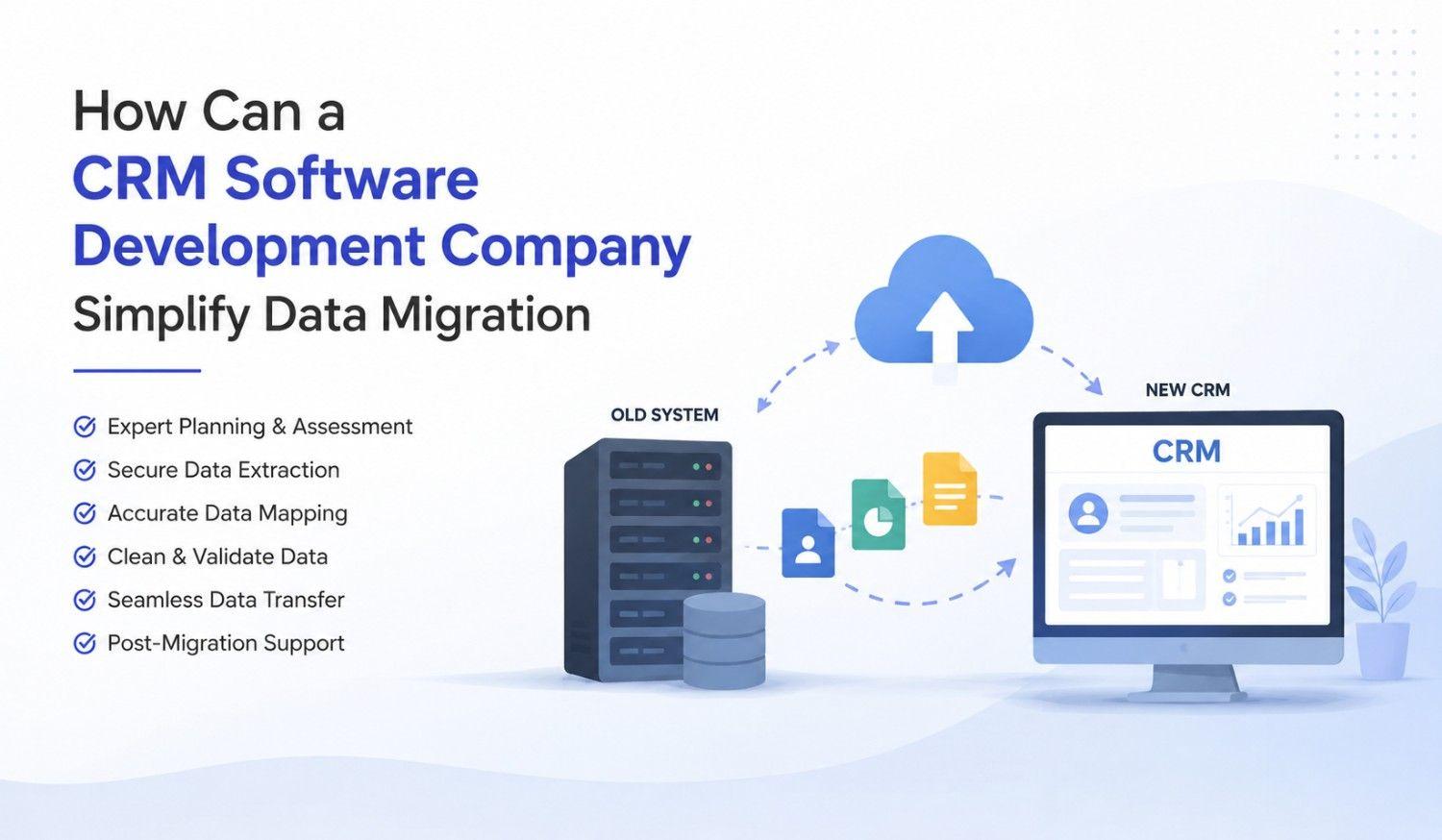
On paper, migration sounds like copy-paste with extra steps. In reality, it's closer to untangling holiday lights you swore you wrapped neatly last year. Legacy systems love inconsistent formats, duplicate entries, and fields nobody remembers creating. We once found a "Notes" column that was really three different systems' worth of notes, stacked like sedimentary rock. Nothing breaks trust in a new CRM faster than dirty data showing up on day one — so this step matters more than most teams expect.
Step 1: Audit Before You Touch Anything
Before migrating a single record, we audit everything — duplicates, outdated entries, broken fields, the works. Think of it as decluttering before a move; nobody packs expired coupons and dead houseplants. This audit phase reveals what's actually worth carrying forward versus what's just historical baggage. Skipping it is how businesses end up with a shiny new CRM full of the same old junk, just wearing a nicer interface. A clean start saves months of frustration later.
Step 2: Mapping Old Data to New Structures
Once the data's clean, it needs a new home — and old fields rarely match new ones perfectly. This is where careful data mapping and a little CRM customization comes in, aligning legacy fields with the new system's structure without losing context. We treat it like translating a language with no direct word-for-word equivalent — sometimes you paraphrase, sometimes you rebuild the sentence entirely. Done right, nothing important gets lost in translation.
Step 3: Testing in Phases, Not All at Once
We never migrate everything in one dramatic, all-or-nothing leap — that's how small errors become expensive ones. Instead, CRM Migration happens in controlled batches, tested in a sandbox environment first. It's the digital equivalent of tasting the soup before serving it to guests. Phased testing catches formatting issues, broken automations, or mismatched fields early, while they're still easy (and cheap) to fix — long before they reach a live, customer-facing system.
Step 4: Minimizing Downtime & Business Disruption
Nobody wants their sales team locked out of customer records during a migration — that's how deals quietly slip away. We schedule transitions carefully, often running old and new systems in parallel until everything's verified. Think of it as changing a tire while the car's still rolling (carefully, of course). A solid rollback plan matters too — if something looks off, we can pause and course-correct instead of pushing forward and hoping for the best.
Step 5: Post-Migration Validation & Training
Migration doesn't end when the data lands — that's just the beginning of making sure it actually works. We run validation checks to confirm records, relationships, and automations transferred correctly. Then comes training, because even the best CRM feels useless if the team doesn't know where anything is. We've seen brilliant systems get ignored simply because nobody showed users where the "Notes" field went. A little onboarding prevents a lot of quiet resentment.
How Kanhasoft Approaches This Differently
We've handled enough CRM Migration projects to know the textbook plan rarely survives contact with real-world data. So we build flexibility into every step — expecting surprises rather than being blindsided by them. As a Custom CRM development, our job isn't just moving data; it's making sure the new system actually fits how a business works, not the other way around. Call it pragmatic optimism — we hope for smooth migrations, but we plan for weird ones.
Conclusion
At the end of the day, CRM data migration isn't glamorous work — nobody throws a party when duplicate records disappear. But done right, it quietly saves businesses from months of frustration, bad data, and confused sales teams squinting at broken fields. We'd love to say we've seen it all, but data has a funny way of humbling even seasoned teams. So we stay curious, stay careful, and keep our rollback plans close — just in case.
FAQs
Q1: What is CRM data migration?
It's the process of transferring customer data — contacts, deals, notes, and more — from an old system (or spreadsheet) into a new CRM platform.
Q2: How long does CRM migration typically take?
Timelines vary based on data volume and complexity, but most projects range from a few weeks to a couple of months.
Q3: What data should be migrated versus left behind?
Clean, active, relevant records should move forward; outdated, duplicate, or irrelevant data is usually better left in the archives.
Q4: Can CRM migration happen without downtime?
Largely, yes — running systems in parallel and migrating in phases significantly reduces disruption to daily operations.
Q5: Why hire a Custom CRM development Company instead of doing it in-house?
Experienced teams catch hidden data issues, customize field mapping properly, and avoid costly trial-and-error mistakes.
Q6: What's the biggest mistake businesses make during migration?
Skipping the audit phase — migrating messy data just creates a newer, shinier version of the same old problem.




 English
 Arabic
 French
 Portuguese
 Deutsch
 Turkish
 Dutch
 Italiano
 Russian
 Romaian
 Portuguese (Brazil)
 Greek