


How to Choose the Right IPTV Setup for Reliable Multi-Device Streaming
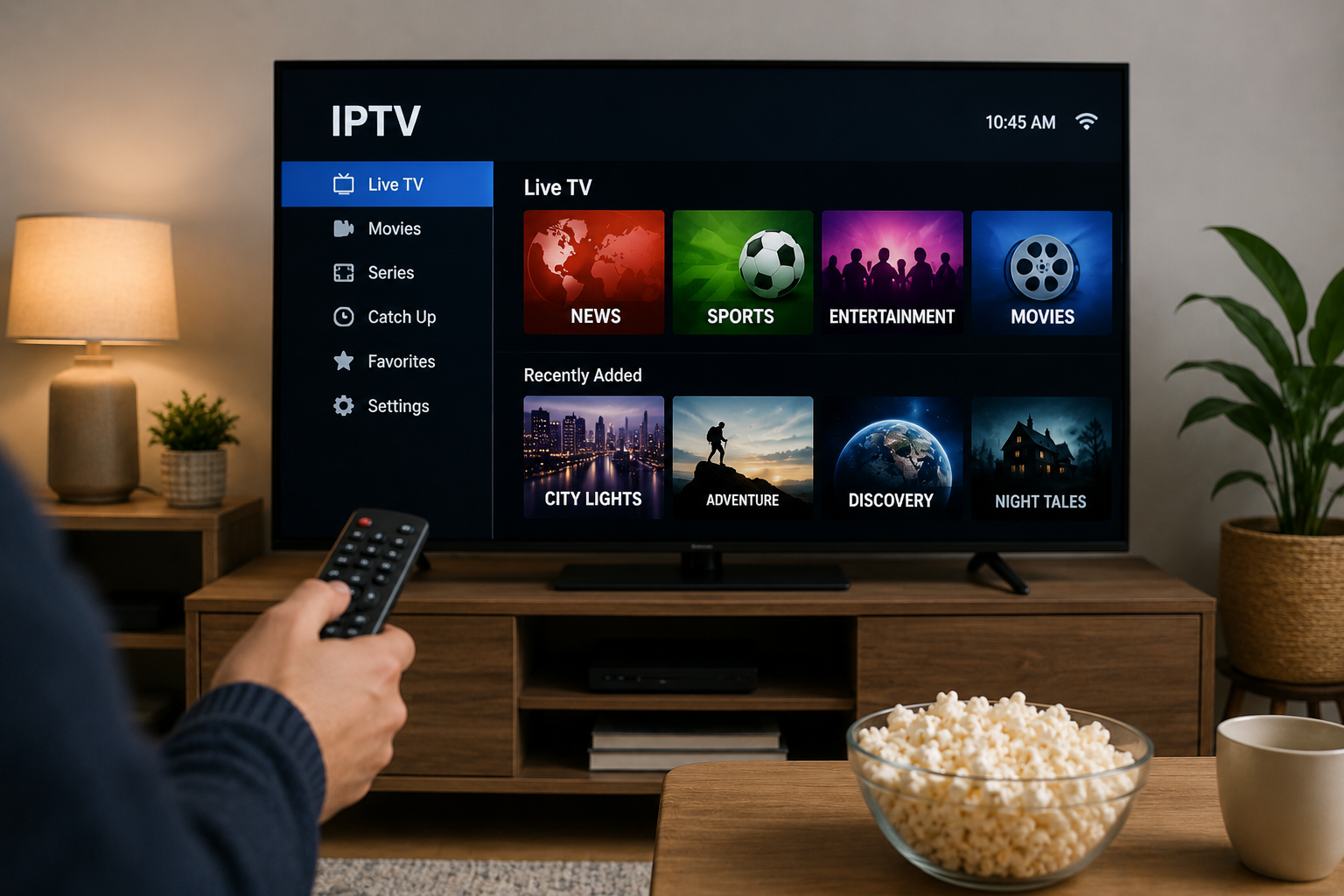
Internet Protocol Television has changed the way many people access television programming. Instead of receiving broadcasts through traditional cable or satellite infrastructure, IPTV delivers television content through an internet connection.
The technology offers flexibility, particularly for households that use several devices for entertainment. A viewer might watch live TV on a Smart TV in the evening, continue a series on a tablet, or use a streaming device in another room.
However, a good IPTV experience depends on more than simply choosing a subscription. Internet quality, device compatibility, IPTV apps, network configuration, and provider support can all affect everyday streaming.
This guide explains the most important factors to consider when building a practical IPTV setup.
Understand How IPTV Streaming Works
IPTV stands for Internet Protocol Television. It uses an internet connection to transmit television streams rather than relying entirely on traditional broadcasting methods.
Depending on the service and application, IPTV may provide access to:
- Live television
- Electronic Program Guide information
- Movies and series
- Video on demand
- Catch-up television
- Multiple content categories
Users normally receive login information or a playlist from their IPTV provider. These details are then entered into a compatible IPTV application or device.
The application acts as the interface between the viewer and the streaming service.
Start With a Stable Internet Connection
Your internet connection is one of the most important parts of an IPTV setup.
A high advertised download speed does not automatically guarantee smooth streaming. Stability matters just as much.
Temporary network congestion, weak Wi-Fi coverage, router placement, and other devices using bandwidth can interrupt a stream.
Use Ethernet When Possible
A wired Ethernet connection is often the most reliable option for stationary devices such as:
- Smart TVs
- Android TV boxes
- MAG devices
- Desktop computers
- Dedicated streaming boxes
Ethernet reduces interference from walls, neighboring wireless networks, and distance from the router.
That does not mean Wi-Fi cannot work well. Modern Wi-Fi networks can provide excellent streaming performance, especially when the router is positioned correctly.
Improve Wi-Fi Coverage
If Ethernet is impractical, try to keep the streaming device reasonably close to the router.
Other useful steps include:
- Avoid hiding the router inside cabinets
- Keep the router away from heavy electronic interference
- Use newer Wi-Fi standards when supported
- Consider a mesh Wi-Fi system in larger homes
- Disconnect unnecessary devices if the network becomes congested
Consistent connectivity is usually more valuable than chasing extremely high headline internet speeds.
Choose a Device That Matches Your Viewing Habits
IPTV can work across many types of hardware, but different devices suit different users.
Smart TVs
Samsung, LG, Android TV, Google TV, and other Smart TV platforms can provide convenient IPTV access.
The main benefit is simplicity. There may be no need to connect another device to the television.
However, application availability varies between television operating systems. Before selecting an IPTV service, check whether a suitable IPTV player is available for your particular television model.
Android TV and Streaming Boxes
Android-based devices are popular because they support a broad selection of streaming applications.
They can be useful when:
- A Smart TV has limited app support
- The television software is becoming outdated
- The user wants more control over IPTV applications
- Several streaming platforms are used from one device
Hardware quality varies considerably, so choosing a well-supported device is important.
Amazon Fire TV Devices
Fire TV devices are another common option for streaming.
Depending on the IPTV application being used, installation may be available directly through the device's app ecosystem or may require additional installation steps.
Always obtain applications from reputable sources.
Apple TV, iPhone and iPad
Apple users can find IPTV players designed for iOS, iPadOS, and tvOS.
The exact interface and login method differ between apps. Some players use provider credentials, while others support playlist URLs or similar connection methods.
Computers and Laptops
Windows and macOS computers can also be used for IPTV.
This can be convenient for people who want television running on a second screen while working or who regularly travel with a laptop.
Understand IPTV Players Before Choosing One
An IPTV provider and an IPTV player are not necessarily the same thing.
The provider supplies access to the streaming service. The player is the application used to display and organize that content.
A good IPTV player should make navigation straightforward.
Useful features may include:
- Live TV categories
- Favorites
- Search
- Electronic Program Guide support
- Movie and series sections
- Parental controls
- Multiple profiles
- External player support
Not every viewer needs every feature. Someone who mainly watches live television may value a simple channel guide, while another user may prioritize movies, series, and cross-device usability.
Check Device Compatibility Before Subscribing
One of the easiest ways to avoid setup problems is to confirm compatibility before purchasing an IPTV subscription.
Ask practical questions such as:
- Does the service work with my Smart TV?
- Can I use an Android device?
- Is Apple TV supported?
- Can I watch through a Windows computer?
- Which IPTV applications are recommended?
- What login method is provided?
- Are setup instructions available?
For readers comparing IPTV subscription options and device guidance, Rapid IPTV can be reviewed alongside other providers when researching which setup best matches their equipment and viewing preferences.
Checking these details beforehand can save considerable troubleshooting later.
Look for Clear Setup Instructions
IPTV setup should not require constant technical experimentation.
A provider should clearly explain how customers connect compatible devices to the service.
Typical setup information may include:
- Installing a compatible IPTV player
- Opening the application
- Entering the supplied login details
- Loading the available content
- Organizing channels or favorites
- Configuring the Electronic Program Guide when supported
The exact process depends on the device and application.
Good instructions are especially valuable for users setting up IPTV for the first time.
Pay Attention to EPG Support
An Electronic Program Guide, commonly called an EPG, provides television schedule information inside a compatible IPTV player.
Instead of browsing only channel names, viewers may be able to see current and upcoming programming.
A well-organized EPG makes IPTV feel closer to a traditional television experience.
When comparing applications, check whether the player can:
- Display current programs
- Show upcoming schedules
- Navigate by time
- Search available programming
- Refresh guide information
EPG availability ultimately depends on the IPTV service and the data supplied to the application.
Organize Your IPTV Interface
Large channel libraries can quickly become difficult to navigate.
After setting up an IPTV player, spend a few minutes organizing it.
Create Favorites
Adding frequently watched channels to a favorites list prevents unnecessary searching.
A household might create quick access to:
- News
- Sports
- Entertainment
- Children's programming
- Documentary channels
- Regional television
Hide Unused Categories
Some IPTV players allow users to hide categories they rarely watch.
Reducing clutter makes navigation noticeably easier, particularly when using a television remote.
Consider Support Before Choosing a Provider
Technical problems can occasionally happen with any internet-based streaming setup.
The problem may involve:
- Incorrect login information
- Application configuration
- Router connectivity
- Device compatibility
- Playlist loading
- EPG synchronization
This makes customer support an important consideration when comparing IPTV services.
Before subscribing, check whether the provider offers clear contact methods and setup documentation.
Good documentation can sometimes solve a problem faster than waiting for direct assistance.
Keep Applications and Devices Updated
Streaming software changes over time.
Updating the IPTV player, television firmware, streaming device, and router can help maintain compatibility and security.
Updates may provide:
- Bug fixes
- Improved application stability
- Security patches
- Better device compatibility
- Interface improvements
Avoid installing unknown modified applications simply because they promise additional features. Reputable software sources are generally the safer choice.
Understand the Importance of Content Rights
IPTV is a delivery technology, not a guarantee that every service using it has permission to distribute its content.
Legal IPTV services operate with appropriate rights or authorization for the programming they provide.
Users should research a service before subscribing, especially if its offers appear unrealistic or its business information is unclear.
Consumers should also remember that copyright rules and streaming regulations can differ between countries.
Choosing transparent services and legitimate applications helps reduce unnecessary legal and security concerns.
Build Your Setup Around Your Real Needs
The best IPTV setup is not necessarily the most complicated one.
A household using a single Smart TV may need nothing more than a compatible application and stable broadband connection.
A larger household might benefit from:
- Stronger Wi-Fi coverage
- Ethernet connections
- Multiple streaming devices
- Organized favorite lists
- Consistent applications across devices
Start with the equipment you already own and improve the setup only when necessary.
Final Thoughts
IPTV can provide a flexible way to watch television across Smart TVs, streaming boxes, smartphones, tablets, and computers.
The quality of the experience depends on several connected factors. A stable internet connection, compatible hardware, a reliable IPTV player, straightforward setup instructions, and useful support all contribute to smoother streaming.
Rather than choosing an IPTV service based on a single feature, compare the complete experience. Check compatibility with your devices, understand how login and installation work, evaluate available support, and make sure the service fits your normal viewing habits.
Taking these steps before subscribing can make IPTV easier to set up, simpler to navigate, and more practical for everyday entertainment.

 English
 Arabic
 French
 Spanish
 Portuguese
 Deutsch
 Turkish
 Dutch
 Italiano
 Russian
 Romaian
 Portuguese (Brazil)