


Fix iPhone Charging Port: Common Problems, Causes, and Repair Tips
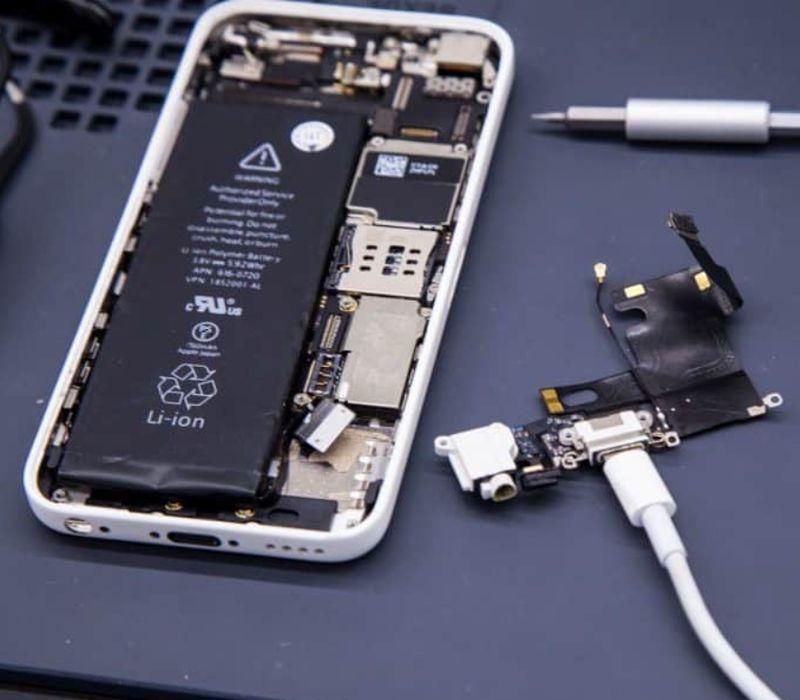
A working charging port is essential for keeping an iPhone powered and ready to use. When an iPhone stops charging, charges slowly, or only works when the cable is held at a certain angle, the charging port may be the problem. Learning how to Fix iPhone Charging Port issues can help you identify the cause before the problem becomes worse.
For iPhone users in Richardson, TX, understanding the basics of charging-port problems can also make it easier to know when simple cleaning may help and when professional repair may be necessary. This guide explains common causes, warning signs, safe troubleshooting steps, and what to expect from a charging-port repair.
What Causes iPhone Charging Port Problems?
Several things can affect an iPhone charging port. Dust, lint, and small particles can collect inside the port when the phone is carried in a pocket, bag, or purse. Over time, this buildup can prevent the charging cable from making proper contact.
Physical damage is another common cause. Repeatedly inserting and removing a cable, using a damaged connector, or putting pressure on the cable while the phone is charging can affect the internal components. Moisture can also create problems, especially if the device has been exposed to water or high humidity.
Sometimes the charging issue is not caused by the port itself. A damaged charging cable, faulty power adapter, software problem, or weak power source can create similar symptoms.
Signs Your iPhone Charging Port May Need Attention
An iPhone can show several signs when there is a charging-port issue. Recognizing these symptoms early may prevent further damage.
One common sign is that the phone does not recognize the charging cable. Another is intermittent charging, where the battery begins charging and then stops without warning. You may also notice that the cable feels loose or does not sit firmly inside the port.
Other warning signs include slow charging, charging only when the cable is positioned in a certain direction, or a complete failure to charge. If the iPhone has recently been exposed to moisture, a charging warning may also appear on the screen.

How to Fix iPhone Charging Port Issues Safely
Before assuming that the charging port needs to be replaced, try a few basic checks. Start by testing a different charging cable and power adapter that you know work properly. This can help determine whether the accessory is causing the problem.
Next, inspect the charging port under good lighting. If you can see dust or lint, avoid using sharp metal objects to remove it. Metal tools can scratch or damage delicate internal components. Do not force anything into the port.
Restarting the iPhone can also help when a temporary software issue is preventing normal charging. If the phone still does not charge after these basic checks, the port may require further inspection.
Can Dirt Stop an iPhone From Charging?
Yes. Even a small amount of compacted lint or debris can interfere with the connection between the charging cable and the port. This is particularly common when an iPhone is frequently carried without a protective case or stored in a pocket.
When debris builds up, the cable may not reach the proper contact points inside the port. This can make it appear as though the charger or iPhone battery has failed.
Cleaning should be approached carefully. If the debris is difficult to remove or appears deeply packed, it is safer to have the port inspected rather than attempting aggressive cleaning at home.
What If the Charging Port Is Physically Damaged?
Physical damage may require more than cleaning. A damaged charging port can result from impact, excessive pressure, corrosion, or repeated use of poorly fitting cables.
If the connector feels unusually loose, the phone charges only at certain angles, or the port has visible damage, continuing to use the cable may make the problem worse. A technician can inspect the port and determine whether cleaning, component repair, or replacement is appropriate.
For residents looking for ways to Fix iPhone Charging Port problems in Richardson, TX, an inspection can help identify the actual source instead of replacing parts unnecessarily.
Does Water Damage Affect the Charging Port?
Moisture can cause charging problems even when the iPhone appears to work normally. Water or another liquid can affect the contacts inside the port and may lead to corrosion over time.
If the iPhone detects liquid in the charging connector, do not force the cable into the port. Allow the device to dry according to Apple’s safety guidance and avoid using heat sources such as hair dryers.
If charging problems continue after moisture exposure, the charging port should be checked. Corrosion can sometimes develop after the initial incident and may affect charging reliability later.
Charging Port Problems vs. Battery Problems
A charging problem does not always mean the charging port is defective. The battery itself may be worn out, or the charging cable and adapter may be faulty.
A damaged battery can cause rapid battery drain, unexpected shutdowns, or difficulty maintaining a charge. A charging-port problem is more likely when the phone reacts differently when the cable is moved, fails to recognize multiple working chargers, or has visible debris or physical damage around the connector.
Because these symptoms can overlap, proper testing is important before deciding which component needs repair.
When Should You Seek Professional Repair?
If basic troubleshooting does not restore charging, professional inspection may be the safest option. This is especially true when the port is physically damaged, the phone has suffered liquid exposure, or charging works only intermittently.
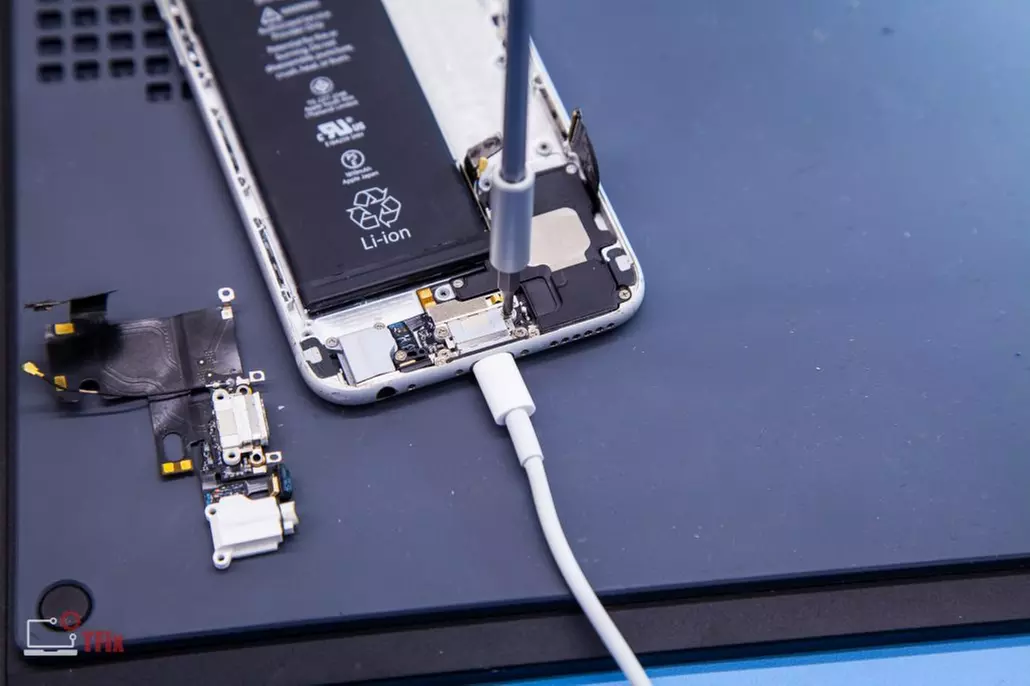
Avoid repeatedly forcing the charging cable into the port or trying to repair internal components with household tools. The charging assembly contains small and delicate parts that can be damaged easily.
A proper inspection can determine whether the issue comes from the port, battery, charging accessories, software, or another internal component.
How to Prevent Future Charging Port Problems
Simple habits can reduce the chance of charging-port damage. Keep the phone away from loose dirt and moisture, avoid using damaged cables, and do not bend or pull the charging cable while it is connected.
It is also helpful to avoid placing unnecessary pressure on the connector. If the cable does not fit normally, stop using it and check the port rather than forcing the connection.
Keeping the charging area clean and handling accessories carefully can help maintain a reliable connection for longer.
Final Thoughts
Knowing how to Fix iPhone Charging Port problems starts with identifying the actual cause. Dust and lint may sometimes interfere with charging, while physical damage, moisture, battery problems, cables, and software issues can require different solutions.
For iPhone users in Richardson, TX, basic troubleshooting can be a useful first step. If the problem continues or the port appears damaged, professional inspection can help prevent unnecessary repairs and protect the device from additional damage.

 English
 Arabic
 French
 Spanish
 Portuguese
 Deutsch
 Turkish
 Dutch
Dutch
 Italiano
 Romaian
 Portuguese (Brazil)
 Greek
Greek