


Why Roofing Website Design Should Help Customers Understand Emergency Roofing Services
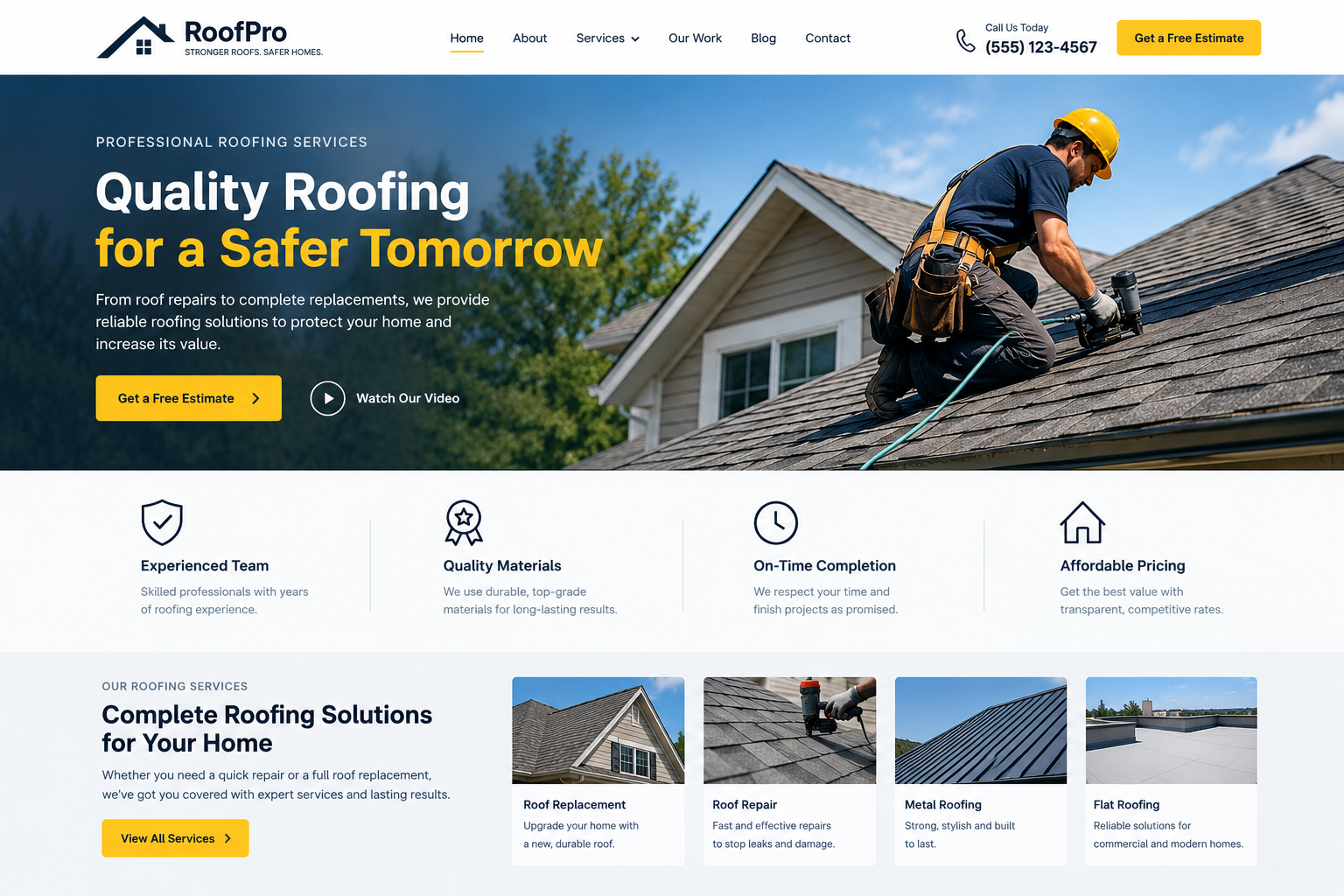
It's the middle of a storm. Water is dripping through the ceiling, a few shingles are lying in the garden, and the homeowner is standing in the kitchen with a bucket. They pick up their phone and search for a roofer. Roofing website design can help contractors highlight emergency roofing services, contact details, and quick response options so homeowners can find help when they need it most.
In a moment like this, nobody wants to read a long company history or scroll through fancy photos. They want to know three things: can you help, how fast can you get here, and what happens next. If your website answers those questions quickly, you'll probably get the call. If it doesn't, they'll move on to the next roofer in the search results.
That's why roofing website design matters so much for emergency services. Here's how to build a site that helps customers understand what you offer when time is short and stress is high.
Why Emergency Roofing Needs Special Attention
Customers Are Stressed and Short on Time
People with a leaking or damaged roof are worried about their home, their belongings and their budget. They scan pages quickly and make decisions fast. A clear, calm website helps them feel they're in safe hands.
Most Customers Don't Know What Counts as an Emergency
Many homeowners aren't sure whether a problem needs help right now or can wait until Monday. If your website doesn't explain it, they may wait too long, or they may call you for something minor and feel confused when you explain it isn't urgent.
Trust Has to Happen Quickly
You don't have weeks to win trust. You have maybe thirty seconds. Your design needs to show that you're real, local and reliable straight away.
Put the Emergency Contact Front and Center
A Phone Number in the Header
Show your emergency phone number at the top of every page. On phones, make it a tap-to-call button. Nobody wants to hunt for a number while water is coming through the ceiling.
A Clear "Emergency Roofing" Button
Add an eye-catching button or menu item that says "Emergency Roof Repair" or "Need Help Now?" and leads to a dedicated page. Make it stand out from the rest of the menu.
Say When You're Available
If you offer 24/7 service, say so clearly. If your hours are limited, be honest about them and explain what customers should do outside those hours. Never promise what you can't deliver.
Explain What an Emergency Is
Use a Simple List
A short, plain list helps customers decide whether to call right away. It might include things like a roof leak that's letting water in, storm damage with missing or broken roofing, a fallen tree or branch on the roof, a sagging or collapsing section, or damage after hail or strong wind.
Use Everyday Words
Say "water coming through the ceiling" instead of "membrane failure." Say "missing tiles" instead of "displaced roofing elements." Plain language builds confidence.
Explain What Can Wait
Be honest about what usually isn't urgent, such as small cosmetic issues or minor wear. This builds trust, because customers see that you're not pushing them to spend money they don't need to.
Tell Customers What to Do While They Wait
Add a Short Safety Section
Include general, sensible advice, such as staying away from damaged areas, keeping people and pets safe and moving valuables away from leaks. Don't encourage anyone to climb onto a damaged roof. Keep this advice general, and if there's any danger to life, tell people to contact local emergency services.
Suggest Taking Photos
Many homeowners will need to make an insurance claim. A line suggesting they take photos of the damage, if it's safe to do so, is a helpful tip.
Avoid Giving Detailed Technical Instructions
Your website isn't the place for do-it-yourself repair guidance on dangerous jobs. Keep tips simple and safe, and encourage people to call you.
Explain How Your Emergency Service Works
A Simple Step-by-Step Layout
Walk customers through what happens when they call. For example:
- They call or fill in a quick form
- You ask a few questions about the damage
- A team member visits to check the roof
- You make the area safe, such as with a temporary cover
- You explain the options for a full repair
Many templates have step or timeline blocks that make this easy to show.
Explain Temporary Fixes vs Permanent Repairs
Customers often don't realize that emergency work may be a quick fix, such as covering the area, followed by a proper repair later. Explaining this early avoids confusion and sets honest expectations.
Be Open About Response Times
If you can, say roughly how quickly you usually respond, but avoid exact promises, since weather and demand vary. Honest wording like "we aim to respond as quickly as we can" works better than a guarantee you can't keep.
Read More: 15 Best Quality Roofing Website Templates
Talk About Costs and Insurance Honestly
Explain What Affects the Price
Let customers know that costs depend on the size of the damage, the type of roof, access and the time of day. Say plainly if emergency call-outs have different rates.
Mention Insurance Support
If you help with insurance paperwork, say so. Keep it general, and encourage customers to check with their insurer for details of their own policy.
Offer Free or Clear Estimates Where You Can
If you provide free inspections or written quotes, highlight that. If you don't, explain how pricing works so there are no surprises.
Build Trust Right Away
Show Your Licences and Insurance
Display your licence, insurance and any trade memberships clearly. Customers worry about scams after storms, so proof of legitimacy matters.
Use Real Photos and Reviews
Real pictures of your team and past emergency jobs, plus genuine customer reviews, build confidence. Get permission before sharing customer photos or names, and avoid guarantees.
Show Your Local Area
Mention the towns and neighbourhoods you serve, with a simple map or list. People want a local roofer who can get there quickly.
Use Design Features That Help in a Hurry
Mobile-First Layout
Most emergency searches happen on phones. Make sure buttons are large, text is easy to read and the page loads fast, even on a weak signal.
Short Contact Forms
A quick form with just a name, phone number, address and a short description is enough. Long forms will make people give up.
Clear Photos and Icons
Simple icons for things like leaks, storm damage or fallen trees help people recognize their situation at a glance.
Fast Loading Pages
Heavy images and animations slow things down. Compress images and keep the design clean, especially on your emergency page.
Answer Common Questions
Add an FAQ Section
Use expandable questions such as "How fast can you come?" "Will you cover my roof temporarily?" "Can you help with my insurance claim?" and "What should I do before you arrive?" Keep answers short and honest.
Keep Information Up to Date
Check your phone number, hours and service areas regularly. A wrong number on an emergency page can cost you a job, and cause real stress for someone who needs help.
Privacy and Accuracy
If your forms collect personal details, use secure tools and check which privacy rules apply where you work. Have a qualified professional review any claims about response times or services.
Conclusion
When a roof fails, customers need quick answers, not clever slogans. A roofing website that shows a visible phone number, explains what an emergency is, outlines how your service works and speaks honestly about costs will earn trust in those first few seconds. Keep the design simple, fast and friendly, and make it easy to call. If you'd like a solid starting point, premium HTML Templates made for roofing and construction businesses often include call buttons, service layouts, step blocks and quick contact forms, which makes building an emergency-friendly site much easier.
Frequently Asked Questions
1. Why does a roofing website need a special emergency section?
Because people with a leaking or damaged roof are stressed and need answers quickly. A dedicated section with a phone number, a simple explanation and clear steps helps them decide fast.
2. What should an emergency roofing page include?
A visible phone number, your availability, a list of what counts as an emergency, what to do while waiting, how your service works, general cost information, your licences and a short contact form.
3. Should I promise a specific arrival time?
It's safer not to. Weather and demand can change quickly. Use honest wording like "we aim to respond as quickly as we can," and explain what customers can expect.
4. Can I give safety advice on my website?
Yes, but keep it general and sensible, such as staying away from damaged areas and keeping people safe. Never encourage customers to climb onto a damaged roof, and tell people to call local emergency services if anyone is in danger.
5. How can I make my emergency page work well on phones?
Use large tap-to-call buttons, short forms, clear headings and fast-loading images. Test the page on a few different phones, including with a weak signal.

 English
 Arabic
 French
 Spanish
 Deutsch
 Turkish
 Dutch
 Italiano
 Russian
 Romaian
 Portuguese (Brazil)
 Greek