


How to Complete AD Code Registration ICEGATE for Hassle-Free Export Customs Clearance
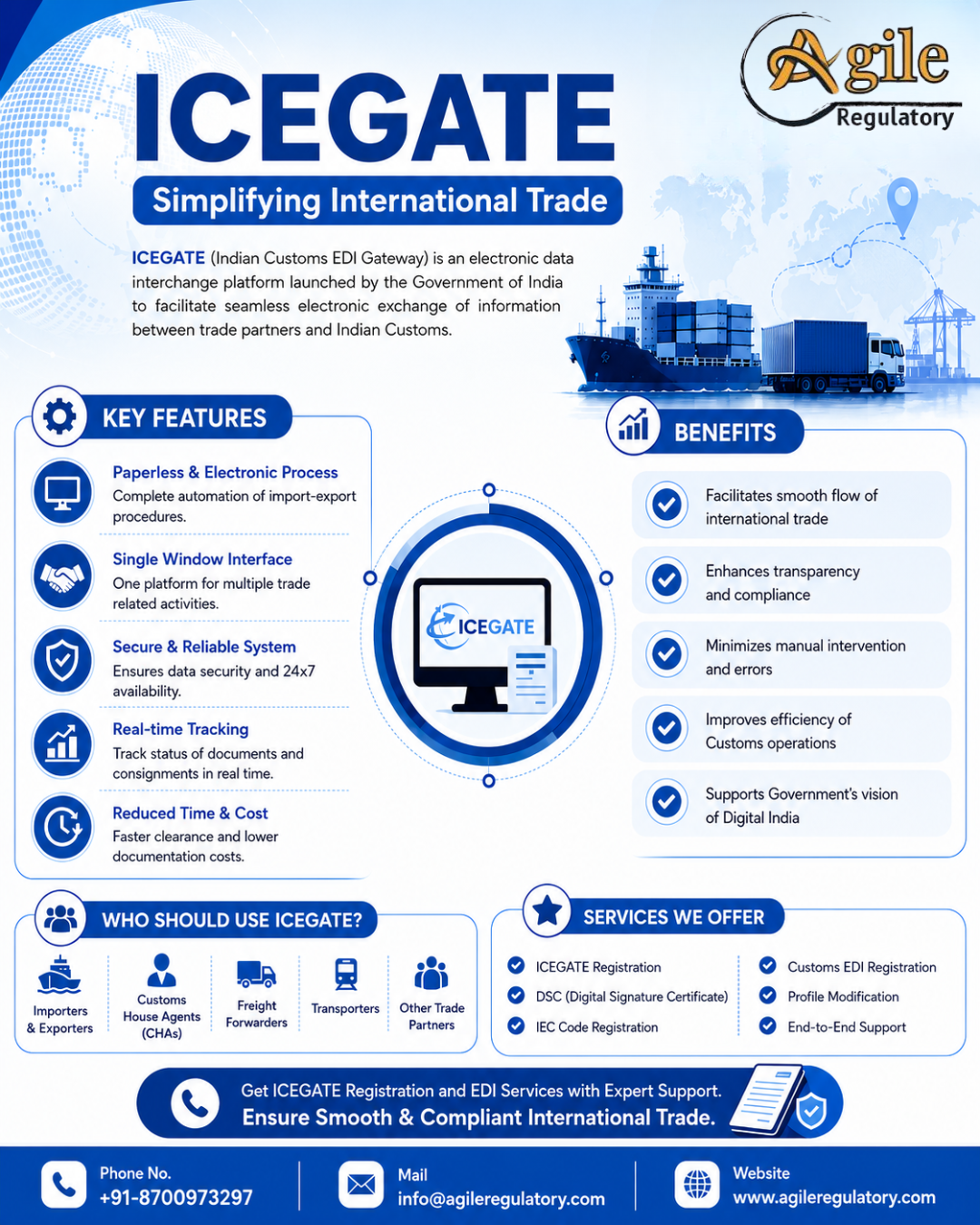
India's export ecosystem has become increasingly digital, making compliance with customs regulations more important than ever. One of the key requirements for exporters is completing AD Code Registration ICEGATE, which allows businesses to link their Authorized Dealer (AD) Code with the ICEGATE portal for export-related customs transactions.
Without an active AD Code registered on ICEGATE, exporters may encounter difficulties in filing shipping bills, customs clearance, receiving export incentives, and processing export proceeds through their authorized bank.
Whether you are a first-time exporter, MSME, manufacturer, merchant exporter, or e-commerce business, understanding the AD Code registration process is essential for ensuring smooth international trade operations.
This guide covers everything you need to know about AD Code Registration ICEGATE, including eligibility, required documents, benefits, online registration steps, common mistakes, and how Agile Regulatory can assist you with end-to-end export compliance.
What is AD Code Registration ICEGATE?
AD Code Registration ICEGATE is the process of registering the 14-digit Authorized Dealer (AD) Code issued by your bank on the ICEGATE (Indian Customs Electronic Gateway) portal.
The AD Code is issued by an RBI-authorized bank branch and is used by Indian Customs to identify the bank through which export proceeds will be received.
After registration, exporters can electronically file shipping bills, complete customs formalities, and claim export-related benefits without interruption.
What is an AD Code?
An Authorized Dealer (AD) Code is a unique 14-digit number allotted to a bank branch authorized by the Reserve Bank of India (RBI) to deal in foreign exchange transactions.
The AD Code helps customs authorities:
-
Verify exporter bank details
-
Process export remittances
-
Link export shipments with banks
-
Monitor export proceeds
-
Process export incentives
Every exporter should obtain an AD Code from their bank before starting export activities.
What is ICEGATE?
ICEGATE (Indian Customs Electronic Gateway) is the official online portal developed by the Central Board of Indirect Taxes and Customs (CBIC).
The portal enables:
-
Customs documentation
-
Shipping bill filing
-
Bill of Entry processing
-
Export and import services
-
Electronic communication with customs
-
Online application management
-
Status tracking
It serves as the primary digital interface between businesses and Indian Customs.
Benefits of AD Code Registration
Registering your AD Code on ICEGATE provides several operational and compliance benefits.
Key Benefits
-
Smooth customs clearance
-
Electronic shipping bill filing
-
Faster export processing
-
Easy bank verification
-
Seamless export incentive claims
-
Better customs compliance
-
Reduced paperwork
-
Efficient export documentation
Proper registration also minimizes delays during customs processing.
Who Needs AD Code Registration?
The registration is generally required for:
-
Merchant Exporters
-
Manufacturer Exporters
-
Import Export Code (IEC) Holders
-
Export Houses
-
MSMEs
-
Startups engaged in exports
-
E-commerce Exporters
-
Trading Companies
Any business exporting goods through Indian Customs should complete AD Code registration.
Documents Required
Applicants generally need the following documents:
| Document | Purpose |
|---|---|
| Import Export Code (IEC) | Exporter identification |
| PAN Card | Business verification |
| GST Registration Certificate | Tax verification |
| AD Code Letter from Bank | Bank authorization |
| Cancelled Cheque | Bank account verification |
| Business Address Proof | Business verification |
| Digital Signature Certificate (if applicable) | Secure authentication |
| Authorization Letter | Representative authorization |
Depending on customs requirements, additional documents may be requested.
AD Code Registration Process
Obtain AD Code Letter
          │
          ▼
Create ICEGATE Account
          │
          ▼
Login to ICEGATE
          │
          ▼
Upload AD Code Details
          │
          ▼
Document Verification
          │
          ▼
Approval by Customs
          │
          ▼
AD Code Activated
Step-by-Step AD Code Registration ICEGATE Process
Step 1 – Obtain AD Code Letter
Request an AD Code letter from your Authorized Dealer bank branch.
Step 2 – Register on ICEGATE
Create an exporter account on the ICEGATE portal using your IEC and other business details.
Step 3 – Login to Your Account
Access your ICEGATE dashboard using your registered credentials.
Step 4 – Submit AD Code Details
Enter your AD Code, bank details, and upload the required supporting documents.
Step 5 – Verification by Customs
The customs authority reviews the submitted application and verifies the details.
Step 6 – Approval
After successful verification, the AD Code becomes active and can be used for customs transactions.
Application Workflow
Exporter
    │
    ▼
Bank Issues AD Code
    │
    ▼
ICEGATE Registration
    │
    ▼
Upload Documents
    │
    ▼
Customs Verification
    │
    ▼
Approval
    │
    ▼
Start Export Operations
ICEGATE Registration
Before completing ICEGATE Registration, exporters should ensure they have:
-
Valid IEC
-
PAN
-
GST Registration (where applicable)
-
Bank-issued AD Code
-
Active email address
-
Mobile number
-
Supporting documents
Completing registration accurately helps avoid delays during customs verification.
Why AD Code Registration on ICEGATE is Important
Registering the AD Code enables exporters to:
-
File shipping bills electronically
-
Receive export incentives
-
Claim duty drawback benefits
-
Link export proceeds with the bank
-
Complete customs documentation efficiently
-
Avoid shipment delays
It is one of the essential compliance steps for businesses involved in international trade.
AD Code Registration Online ICEGATE
The AD Code Registration Online ICEGATE facility allows exporters to complete the registration digitally without visiting customs offices in most cases.
The online process generally involves:
-
Account login
-
AD Code submission
-
Document upload
-
Verification
-
Approval
Digital registration improves transparency and speeds up processing.
AD Code Check in ICEGATE
Once the application is submitted, exporters should regularly monitor its progress.
You can generally:
-
Login to your ICEGATE account
-
View registered bank details
-
Verify AD Code approval
-
Check application observations
-
Confirm activation status
Monitoring the application helps resolve issues promptly.
Common Reasons for Application Rejection
Applications may be delayed or rejected due to:
-
Incorrect IEC information
-
Wrong AD Code
-
Bank detail mismatch
-
Missing supporting documents
-
Incorrect document uploads
-
Incomplete application
-
Invalid Digital Signature (if required)
Carefully reviewing the application before submission reduces the risk of delays.
Infographic – AD Code Registration ICEGATE Journey
Business Starts Export
          │
          ▼
Bank Issues AD Code
          │
          ▼
ICEGATE Registration
          │
          ▼
Document Upload
          │
          ▼
Customs Review
          │
          ▼
AD Code Approved
          │
          ▼
Export Without Delays
Why Choose Agile Regulatory?
Agile Regulatory provides complete support for export registrations and customs compliance.
Our services include:
-
AD Code Registration Assistance
-
ICEGATE Registration
-
IEC Registration Support
-
Documentation Preparation
-
Application Filing
-
Customs Compliance Advisory
-
Export Consultation
-
End-to-End Registration Support
Our experienced consultants help exporters complete registrations accurately and efficiently, ensuring compliance with the latest customs requirements.
Complete Your AD Code Registration with Confidence
Completing AD Code Registration ICEGATE is an essential requirement for businesses engaged in exports from India. Proper registration ensures smooth customs clearance, seamless shipping bill filing, and timely processing of export incentives. By preparing accurate documentation and following the correct registration procedure, exporters can avoid unnecessary delays and maintain uninterrupted export operations.
Agile Regulatory provides end-to-end assistance for AD Code Registration ICEGATE, including document verification, ICEGATE registration, application filing, and customs compliance support. Whether you are a new exporter or an established business, our experts help simplify the registration process and keep your exports moving efficiently.
Frequently Asked Questions
Q1. What is AD Code Registration ICEGATE?
AD Code Registration ICEGATE is the process of registering your bank-issued Authorized Dealer (AD) Code on the ICEGATE portal to facilitate export customs transactions.
Q2. Who needs AD Code registration?
Merchant exporters, manufacturer exporters, IEC holders, export houses, MSMEs, startups, and businesses involved in exports generally require AD Code registration.
Q3. What documents are required for AD Code registration?
Common documents include the IEC, PAN, GST Registration Certificate, AD Code letter from the bank, cancelled cheque, address proof, and authorization documents.
Q4. Can I complete AD Code registration online?
Yes. Eligible exporters can complete the registration through the ICEGATE portal by submitting the required information and supporting documents.
Q5. Why choose Agile Regulatory for AD Code Registration ICEGATE?
Agile Regulatory provides complete assistance with documentation, ICEGATE registration, application filing, compliance guidance, and end-to-end support to help exporters complete the registration process efficiently.

 English
 Arabic
 French
 Spanish
 Portuguese
 Deutsch
 Turkish
 Dutch
 Italiano
 Russian
 Portuguese (Brazil)
 Greek