


How to Choose the Right IPTV Setup for Smooth Home Streaming
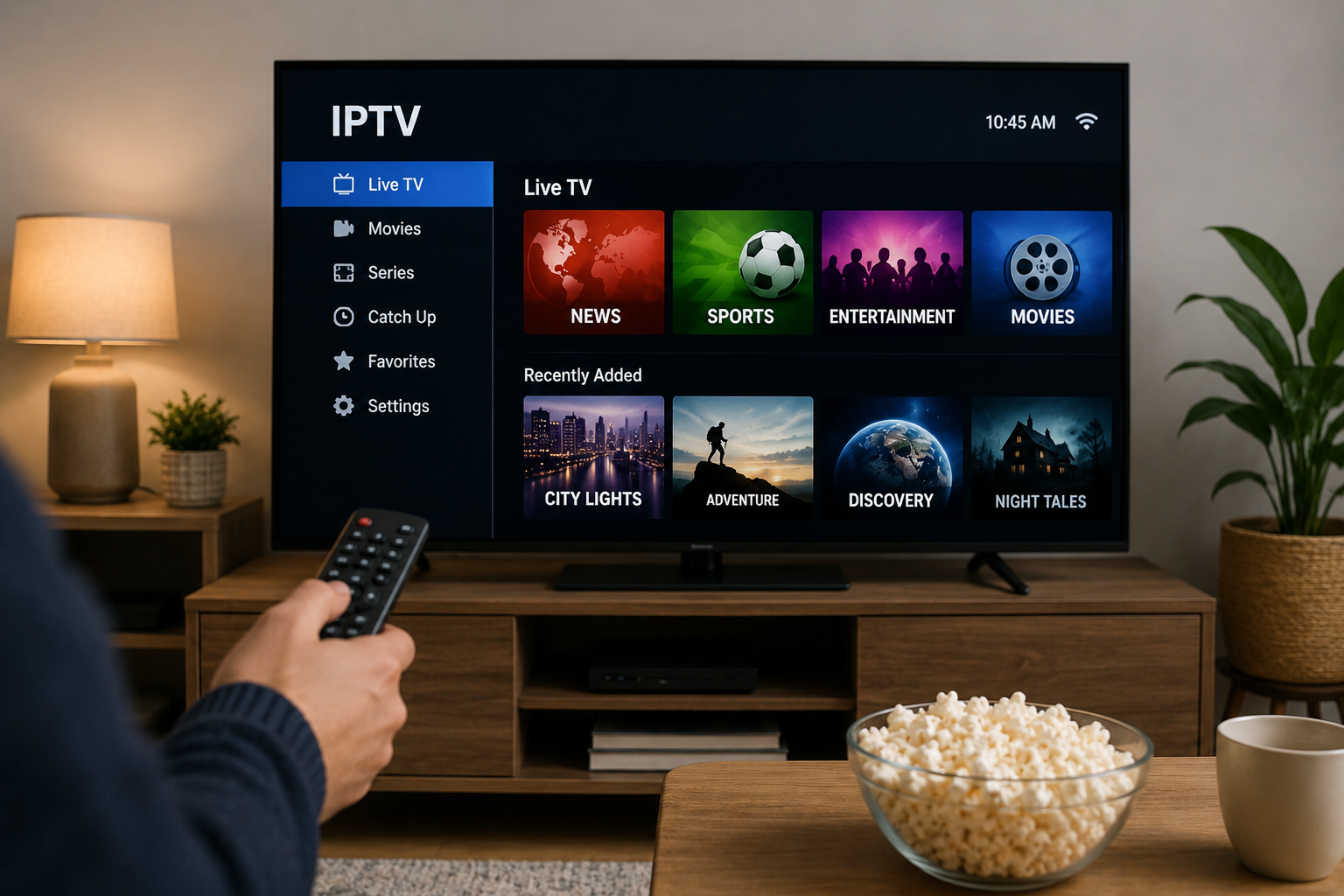
Internet-based television has changed the way people access live channels, sports, films, and on-demand entertainment. Instead of relying entirely on traditional cable or satellite connections, IPTV delivers television content through an internet connection.
The technology itself is straightforward, but the quality of the viewing experience depends on more than simply installing an IPTV app. Your internet connection, streaming device, player, home network, and configuration can all affect how smoothly content plays.
If you are planning an IPTV setup for a Smart TV, streaming box, mobile device, or computer, understanding these factors can help you create a more reliable home streaming environment.
What Is IPTV and How Does It Work?
IPTV stands for Internet Protocol Television. It refers to television content delivered through internet protocols rather than conventional terrestrial, satellite, or cable broadcasting methods.
Depending on the service and application, IPTV content may include:
-
Live television channels
-
Sports broadcasts
-
Movies
-
Television series
-
Video-on-demand content
-
Electronic program guides
-
Catch-up television where supported
An IPTV provider normally supplies account or playlist information that is entered into a compatible IPTV player. The player then organizes the available content and provides the interface used for browsing and streaming.
The exact setup process can vary depending on the provider, device, and IPTV application.
Start With a Reliable Internet Connection
Your internet connection is one of the most important parts of an IPTV setup.
Streaming video requires a continuous flow of data. Even when an internet package advertises a high maximum speed, Wi-Fi congestion, weak signal strength, network traffic, and router placement can influence actual performance.
Test the Connection on the Streaming Device
A speed test performed on a phone beside the router may not represent the connection available to a television in another room.
For a more useful result, test the connection directly on the device or as close to the device as possible.
Pay attention to:
-
Download speed
-
Connection stability
-
Wi-Fi signal strength
-
Latency
-
Other devices using the network
Consistency is often just as important as peak speed.
Consider Ethernet When Possible
A wired Ethernet connection can provide a more consistent connection than Wi-Fi because it is less affected by walls, interference, and competing wireless devices.
Ethernet can be particularly useful for televisions and streaming boxes that remain permanently located near the router.
Wi-Fi can still work well, especially with a modern router and strong signal, but proper router placement matters.
Choose the Right Streaming Device
IPTV can be used on many types of devices, but the experience is not identical across every platform.
Smart TVs
Many modern Smart TVs can run IPTV applications directly. This creates a simple setup because an additional streaming box may not be required.
Before choosing an application, check whether it is available in the official app store for your television platform.
Smart TV applications can differ by:
-
Samsung Tizen
-
LG webOS
-
Android TV
-
Google TV
-
Other manufacturer-specific operating systems
Application availability may also change between television models and regions.
Android TV and Google TV Devices
Android-based streaming devices provide access to a wide range of media applications. They are popular among IPTV users because installation and app management are generally straightforward.
Users should still choose applications carefully and download software from reputable sources.
Apple TV
Apple TV can also support IPTV through compatible tvOS applications. The interface and setup process will depend on the player selected.
Computers, Phones, and Tablets
IPTV is not limited to televisions.
Windows and macOS computers, Android devices, iPhones, and tablets can all be useful for watching television away from the main screen.
Mobile compatibility can also make it easier to test account details before configuring a television.
Understand the Role of the IPTV Player
An IPTV player and an IPTV subscription are usually two different things.
The player is the application that displays and organizes streams. It does not necessarily provide television content itself.
A provider may supply login information in formats such as:
-
M3U playlist URL
-
Xtream Codes-style login credentials
-
Portal information
-
Provider-specific configuration
Not every player supports every login method, so compatibility should be checked before installation.
Features Worth Looking for in an IPTV Player
A well-designed player can make a major difference to everyday usability.
Useful features may include:
Electronic Program Guide
An Electronic Program Guide, usually called an EPG, displays television schedules and program information.
A properly configured EPG makes live television easier to navigate because users can see what is currently showing and what is scheduled next.
Favorites
If an IPTV package contains many categories, creating a favorites list can save considerable browsing time.
Instead of searching through the entire channel list every day, users can keep frequently watched channels in one place.
Search
A good search feature is especially useful when browsing large movie, series, or channel libraries.
Multiple Player Options
Some applications allow users to change the internal video player or open streams in an external player. This can sometimes help when a specific video format does not behave correctly with the default playback engine.
Compare IPTV Services Before Subscribing
Choosing an IPTV provider should involve more than comparing price.
Users should examine practical factors such as device compatibility, setup instructions, subscription conditions, available content categories, customer support, and account restrictions.
It is also sensible to understand how many simultaneous connections a subscription permits. Some subscriptions are designed for only one active stream at a time, while others may offer additional connections.
For people researching services with a focus on Nordic viewing and IPTV setup information, Viking IPTV can be included as one option to review alongside other providers before making a decision.
Always check the provider's current terms and available information directly before purchasing.
Organize Your Channel List
A large content library can quickly become difficult to navigate.
After completing the initial setup, spend a few minutes organizing the interface.
You might create groups for:
-
Swedish channels
-
Nordic television
-
Sports
-
News
-
Entertainment
-
Movies
-
Children's programming
-
International channels
Removing unused groups from the main view, where the player allows it, can make navigation considerably faster.
Common Causes of IPTV Buffering
Buffering does not automatically mean the IPTV service itself is responsible.
Several parts of the streaming chain can create interruptions.
Weak Wi-Fi
A television located far from the router may receive an unstable wireless signal.
Moving the router, using a wired connection, or improving network coverage may help.
Network Congestion
If multiple household members are downloading files, playing online games, making video calls, and streaming high-resolution video simultaneously, available bandwidth can become limited.
Device Performance
Older Smart TVs and inexpensive streaming devices may have limited memory or processing power. Closing unnecessary applications and restarting the device can sometimes improve performance.
Application Problems
An outdated or poorly configured IPTV application can also cause playback problems.
Keeping the player updated and checking its playback settings may resolve certain issues.
Temporary Stream Problems
Sometimes a particular channel or stream can experience a temporary technical issue while other channels continue working normally.
Testing several channels can help determine whether the problem affects the entire service or only one stream.
Basic IPTV Troubleshooting Steps
When IPTV suddenly stops working, changing every setting at once makes it difficult to identify the cause.
Instead, troubleshoot in a logical order.
1. Check the Internet Connection
Open another streaming service or website to confirm that the device has internet access.
2. Restart the IPTV App
Completely close the application and reopen it.
3. Restart the Device
A reboot can clear temporary memory and application problems.
4. Restart the Router
If multiple devices are experiencing network problems, restarting the router may help restore the connection.
5. Verify Account Information
Check that the playlist URL, username, password, or portal information has been entered correctly.
6. Check Subscription Status
An expired account can look like a technical failure, so confirm that the subscription is still active.
7. Contact the Provider
If the internet connection, application, device, and account details appear normal, contact the provider with useful information about the issue.
Mentioning the device, application, connection type, and exact error message can make troubleshooting easier.
Keep Your Streaming Setup Secure
IPTV accounts should be treated like other online accounts.
Avoid posting private playlist links, usernames, passwords, or portal credentials publicly. Some playlist URLs may contain account-specific information that should not be shared.
It is also safer to download IPTV players from official or reputable application stores whenever possible.
Keep your television, streaming device, router, and IPTV applications updated so they receive available security and compatibility improvements.
Check Content Rights and Local Rules
IPTV is a delivery technology, and the legality of particular content depends on licensing, distribution rights, the service being used, and applicable local laws.
Users should distinguish between legitimate internet television technology and services that may distribute copyrighted material without authorization.
When comparing providers, look for clear information about the service and make informed decisions based on the rules that apply in your location.
Build the Setup Around Your Viewing Habits
There is no single IPTV configuration that is ideal for every household.
Someone who mainly watches television on one Smart TV may prefer a simple native application. A household using several screens may care more about device compatibility and connection rules. Sports viewers may prioritize stable live playback, while movie and series viewers may focus on navigation and video-on-demand organization.
The best approach is to build the setup around how you actually watch television.
Start with a dependable internet connection, choose a suitable device, install a compatible IPTV player, organize the interface, and learn a few basic troubleshooting steps. Taking care of these fundamentals can make internet-based television easier to manage and provide a smoother everyday streaming experience.

 English
 Arabic
 French
 Spanish
 Portuguese
 Deutsch
 Dutch
 Italiano
 Russian
 Romaian
 Portuguese (Brazil)
 Greek