

Year Two of a 3D Configurator: Planning Updates, Hosting and New Features
Launching a 3D configurator is half the job; the second year decides whether it stays accurate and keeps selling. Plan who updates the catalog, how new options avoid breaking saved designs, how the tool survives store and CMS updates, what hosting costs and which feature comes next. The table lists the recurring tasks, who usually owns them and how often they come up.
| Year-two task | Who usually does it | How often |
|---|---|---|
| Update options, materials and prices | Your merchandising or sales team | Weekly to monthly |
| Add new 3D models | 3D artist, in-house or vendor | With each product launch |
| Check saved designs and shared links | Developer and QA | Every release |
| Update WordPress, the store or CMS | Web team | Monthly |
| Review hosting, CDN and model storage | Developer or DevOps | Monthly |
| Test speed on phones | QA | After each new model set |
| Plan new features | Product owner with sales | Quarterly |
| Set the development budget | Management | Yearly |
Your Team Should Update Options and Prices Without a Developer
1. Decide who updates the catalog, and how
New colors, discontinued finishes and price changes arrive constantly. If every change needs a developer ticket, the configurator falls behind the catalog within months.
An admin panel for options, materials and prices puts routine updates in the hands of the people who know the products. Keep developers for new logic, such as a new product family or a rule that did not exist before.
2. Keep the 3D model pipeline documented
Every new product needs a model that matches the existing ones in scale, materials and file size. Write down the pipeline: source files, the modeling tool (often Blender), export to GLB, compression and a file-size budget per model.
Without that document, models made by a new artist a year later look different, load slower or appear at the wrong size in the scene.
New Options Must Not Break Designs Customers Already Saved
3. Protect saved projects and shared links
Every new option has to respect designs that customers already saved. The Hi-Tech Closets configurator, built by a Three.js development agency in Culver City, stores projects in customer accounts and encodes the full configuration in a URL that designers send to buyers, so a new tower or finish can't break links already in inboxes. Todor3D built it as a standalone React and Three.js app embedded in the client's WordPress site and delivered it in four months, in the $10,000–50,000 budget band.
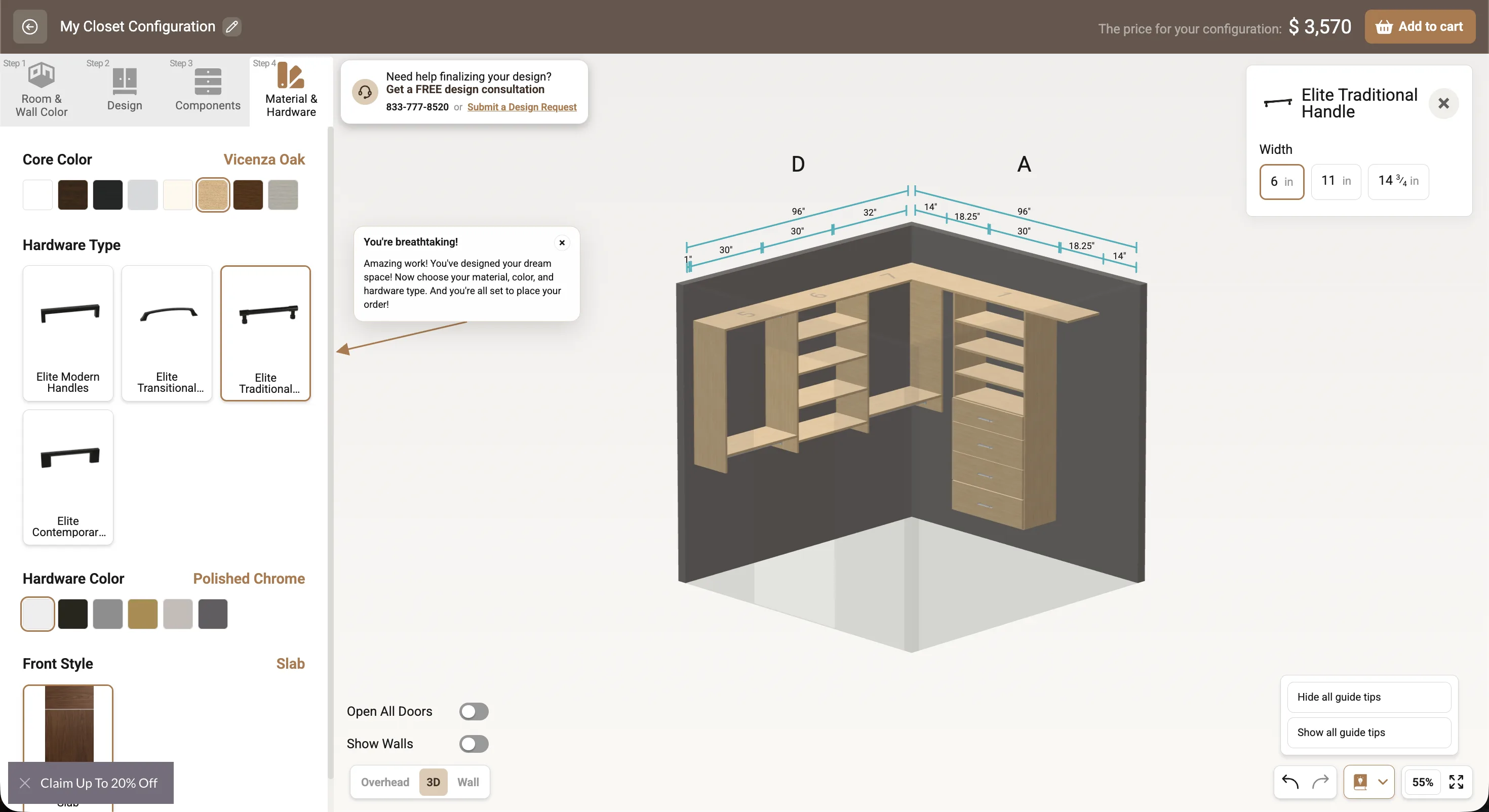
In practice, that means versioning the configuration format. When an option is retired, old designs should still open, with a clear message and a suggested replacement rather than an error.
Add saved designs and shared links to the regression test list. Open a sample of real customer links after every release before anyone else does.
Keep the Configurator Separate From Store and CMS Updates
4. Update WordPress or the store without touching the 3D app
WordPress, Shopify themes and their plugins update often. If the configurator is tangled into the theme, a routine update can break it on a Friday afternoon.
A configurator built as a separate app and embedded in the page can be updated on its own schedule. Test both together on a staging site before major store or CMS updates.
Hosting and Speed Need a Monthly Check
5. Review hosting, CDN and model storage
3D models and textures are large files. Serve them from a CDN close to your customers, store them in object storage such as AWS S3 and watch bandwidth costs as traffic grows.
Review the bill and the error logs monthly. A spike in failed model loads often points to a broken file or a misconfigured cache before customers complain.
6. Recheck phone performance after every new model set
Each new product adds weight. A configurator that loaded quickly at launch can slow down a year later after dozens of new models and textures.
Test on a mid-range Android phone after each batch of additions. Keep the file-size budget from step 2 and compress or simplify models that exceed it.
Choose the Next Feature by What Sales Asks For
7. Pick new features from sales and support requests
Year two is when feature requests pile up: AR placement in a room, a bill of materials sent to sales, new product categories, a quote flow in the CRM. Rank them by what sales and support hear most, not by what looks impressive in a demo.
Each feature should connect to a step in the sale. AR helps shoppers who doubt the size; a parts list sent to sales helps close the order.
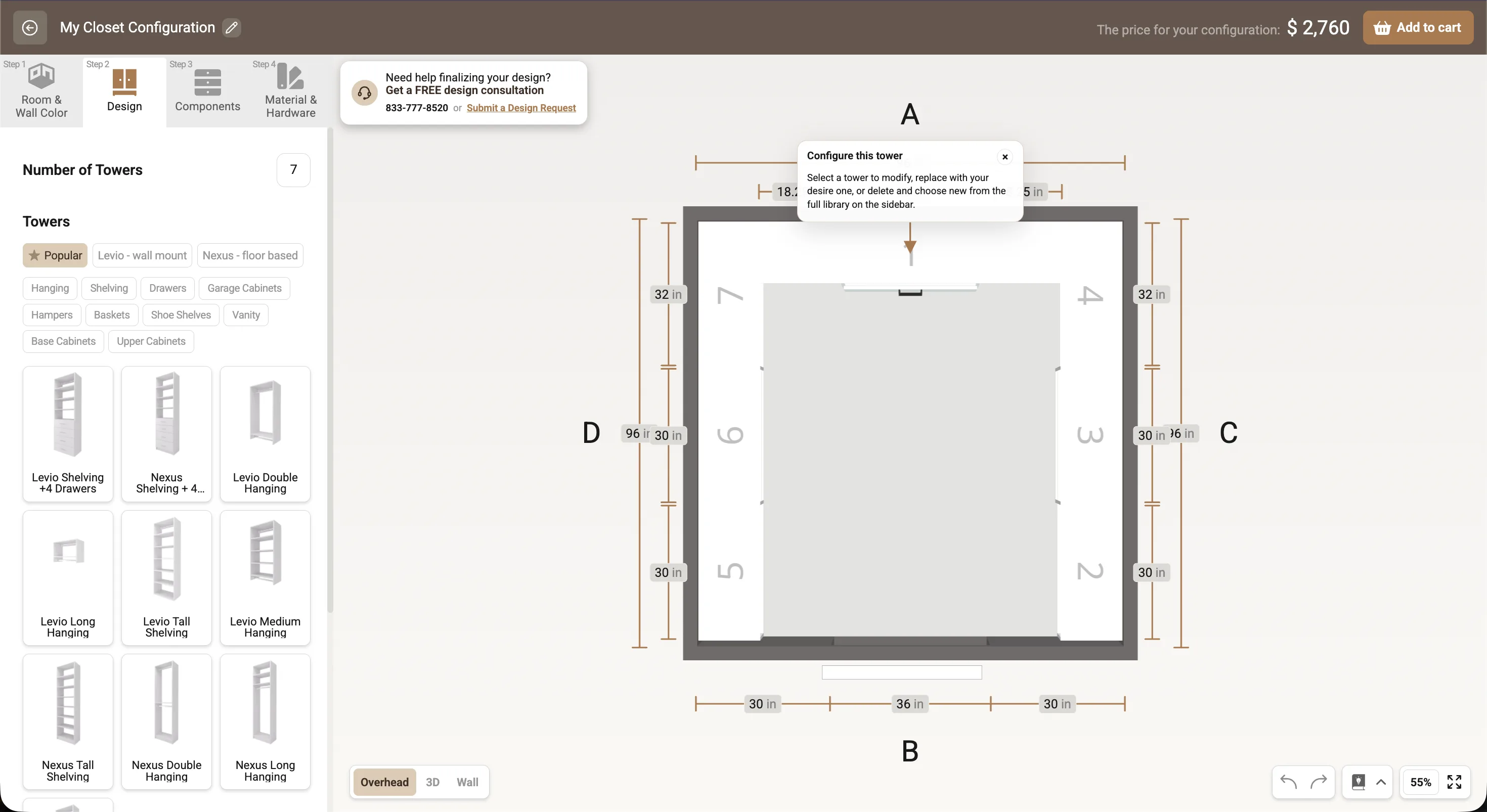
Long-running tools show how this works. The patio-cover configurator Todor3D has developed for Thermogreen since 2023 sends a bill of materials and 3D snapshots to the sales team with every submission, and it keeps gaining features and integrations years after launch.
8. Choose a support model
Common options are support on request, hourly billing for a flexible backlog or a dedicated team for ongoing development. Small configurators often need a few days a month; tools at the center of the sales process need more.
Whatever the model, agree on response times for outages and a process for planned work. Ask for documentation so another team could take over if needed.
9. Set a yearly development budget
Treat the configurator like any other sales channel with an annual budget. Include hosting, model production for new products, maintenance after platform updates and one or two planned features.
Review it once a year against what the configurator delivered: saved designs, quote requests and orders that started in the tool.
FAQ
How much does configurator maintenance cost?
It depends on how often the catalog changes, how many models you add and which new features you plan. Budget separately for hosting, routine updates and new development, and ask your vendor for a yearly estimate.
When should a configurator be rebuilt from scratch?
Rebuild when the product logic has outgrown the original design, the code depends on an outdated platform or every small change takes days. Otherwise, steady improvement is cheaper.
Can we switch to a different vendor?
Yes, if you own the code and the 3D models and the system is documented. A new team built on Three.js or a similar open library can usually pick up where the last one stopped.

 English
 Arabic
 French
 Spanish
 Portuguese
 Deutsch
 Turkish
 Dutch
 Italiano
 Romaian
 Portuguese (Brazil)
 Greek